Formulas
Math typeset by Typst, as nodes you color and animate glyph by glyph. The font is bundled, so no TeX install is needed and a formula looks the same on every machine.
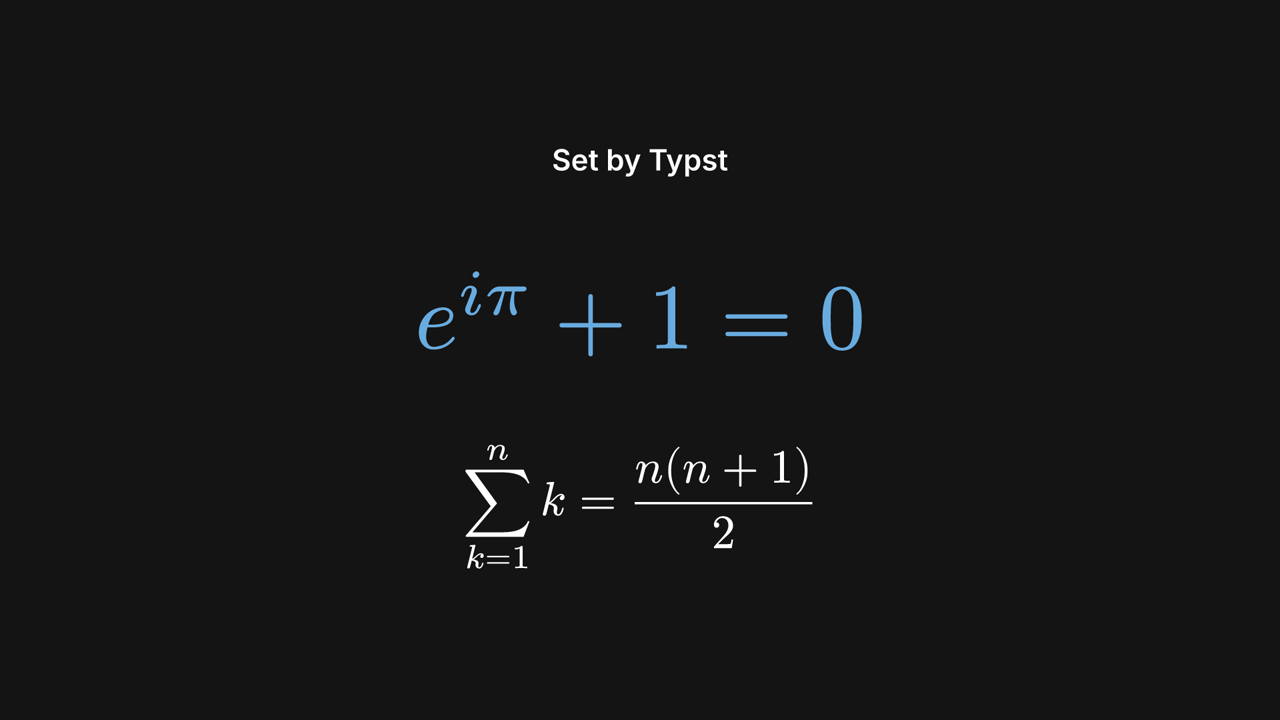
formulas example on GitHub.Turn on the math feature
oxframe = { version = "…", features = ["math"] }The feature adds the Typst compiler and a 1.4 MB font to your binary, so it is off by default. It
works with oxframe dev, oxframe check and oxframe render on your machine and in CI. The browser playground does not have it: the playground's engine stays small,
so formulas cannot be tried there.
A formula by its source
let euler = view.add(Math::new("e^(i pi) + 1 = 0").size(140.0));
stagger(0.08, euler.paths(), |glyph| glyph.pop_in()).await;
euler.color().to(Accent, 0.6).await;

let sum = view.add(
    Math::new("sum_(k=1)^n k = (n(n + 1)) / 2")
        .display()
        .size(72.0)
        .y(220.0),
);
sum.fade_in().await;
Math::new("e^(i pi) + 1 = 0") takes Typst math syntax without the dollar signs. A formula
Typst cannot set (an unknown symbol, a missing bracket) stops the scene with Typst's message, which
names the formula.
| You write | You get |
|---|---|
x^2, x_i | superscript, subscript |
(a + b) / c | a fraction |
sqrt(x) | a square root |
sum_(k=1)^n, integral_0^1 | sums and integrals with limits |
alpha pi | Greek letters by name |
vec(1, 2), mat(1, 2; 3, 4) | a vector, a matrix |
"text" | upright words inside a formula |
Size, color and display style
.size(px) is the font size in pixels, as for Txt; the box is as tall as
a line of text, so formulas of one size line up. .color(..) takes a color or a theme
role and defaults to the theme's text color. .display() sets the formula on its own
line, as $ … $ does in Typst: a sum gets its limits above and below and a fraction is full
size. Without it the formula is set inline, as in running text.
Animate it
The handle, Math, is a node like any other: fade_in, next_to, scale and layout work on it. color() is a signal
for the whole formula, and paths() gives every glyph and rule (fraction bars, root
signs) in reading order, for stagger. Glyphs are filled shapes, so write them on with pop_in or fade_in rather than draw_on.
Run the example from a clone of the SDK:
cargo run -p oxframe-examples --features math --bin formulas -- preview